Split sprite sheet grids two ways
Enter exact frame width and height when the tile size is known, or enter rows and columns when the sheet layout is easier to count.
Size or countPrivate sprite sheet slicer for regular grids
Use the Sprite Sheet Cutter to split sprite sheet artwork by exact frame width and height or by rows and columns. Align the live grid with margin, offset, and gap controls before you extract sprites from sprite sheet files.
Local browser processing · regular grids only · blank frames stay included by default
Load a PNG, JPG, or WebP sheet, describe its regular grid, inspect every cut line, then choose and reorder the extracted frames before downloading a ZIP.
The Sprite Sheet Cutter processes your image in this browser; the page does not upload it. Still images only. Up to 20 MiB, 8192 px per side, 32 million pixels, and 256 output regions.
The overlay updates as settings change. Teal boxes are full cells; amber boxes are retained edge regions. No pixels are scaled or smoothed.
Select frames for export, inspect one frame, and use the arrow buttons to change ZIP and playback order.
Check the live grid, resolve any edge warning, then choose Slice into frames.
Example: sprite_001.png
Set the speed yourself. A source sheet does not contain its original animation timing, so the Sprite Sheet Cutter does not guess it.
The tool makes every assumption visible, which matters when a one-pixel offset can spoil an entire animation sequence.
Enter exact frame width and height when the tile size is known, or enter rows and columns when the sheet layout is easier to count.
Size or countCorrect a shifted first frame with left or top offset, separate cells with horizontal or vertical gaps, and reserve a consistent outer border with margin.
Pixel-alignedKeep or skip transparent cells, select only the frames you need, fix their sequence, and export zero-padded filenames that sort correctly.
ZIP exportMove from a checked grid to a clean sequence without hiding offsets, empty cells, or edge leftovers.
Upload a regular atlas and match the teal overlay to every frame. If all cells drift together, adjust the left or top origin. If the error grows across a row or column, correct the corresponding gap. The Sprite Sheet Cutter displays right and bottom remainders instead of discarding them silently.
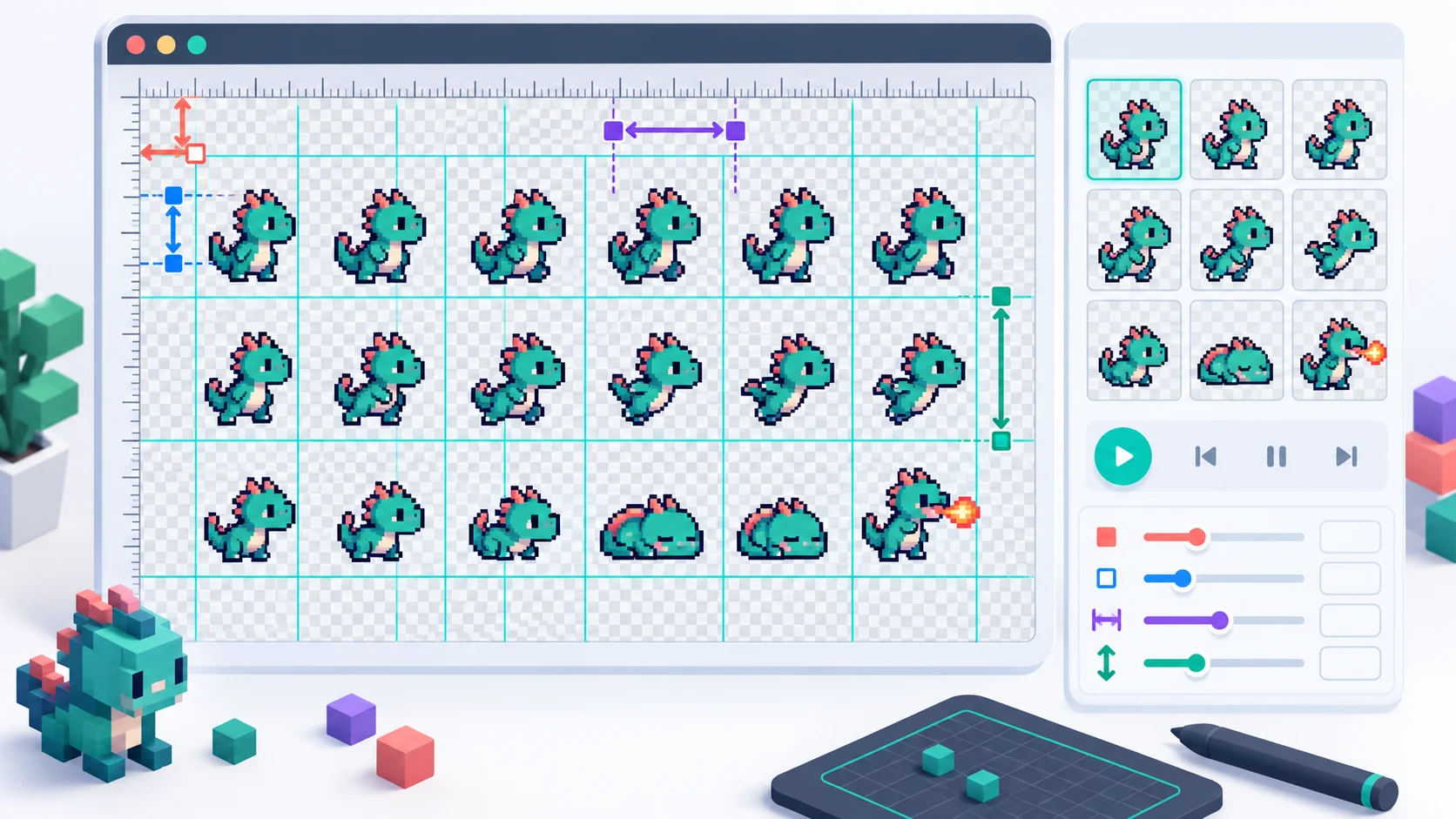
After slicing, focus individual thumbnails, include or exclude frames, and move them earlier or later. Set an explicit FPS for the simple playback preview because a still atlas has no timing data. The numbered PNG names follow the selected output order.
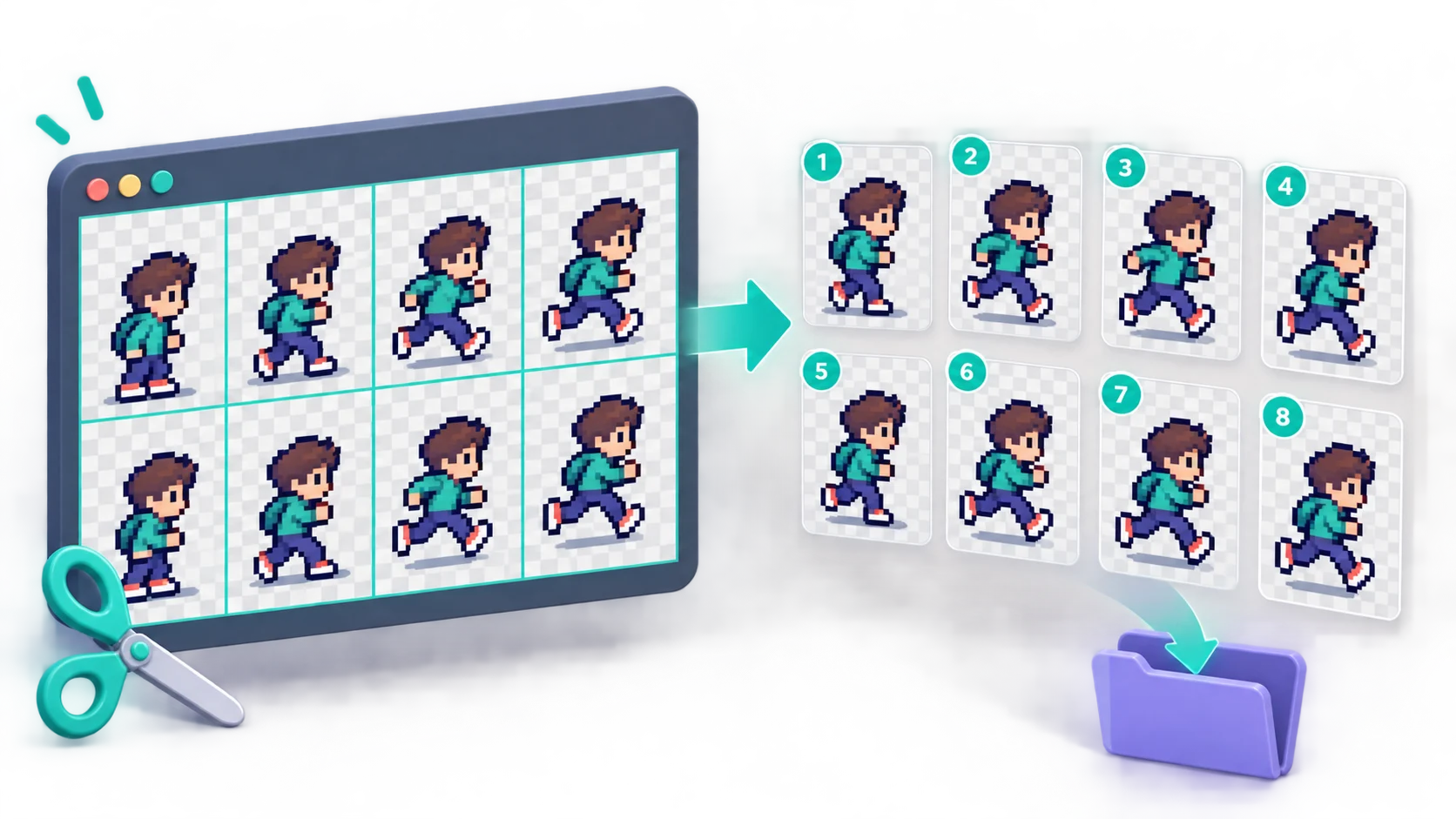
A careful three-step workflow for a uniform atlas, tile sheet, or animation strip.
Choose Frame size if you know each cell's pixel width and height. Choose Rows and columns if you know how many cells run across and down. This first version is intentionally for uniform grids.
Use margin for the outer border, left and top offset for the starting point, and separate horizontal and vertical gaps for gutters. Check the first and last cells, then resolve any non-divisible edge warning.
Slice the sheet, keep blank frames when animation timing depends on them, reorder the thumbnail sequence, set a filename prefix and starting number, choose an honest playback FPS, and download the selected PNG files in one ZIP.
Practical answers to searches about sprite sheet slicers, frame extraction, grid alignment, transparency, and ZIP output.
Add the sheet to the Sprite Sheet Cutter, choose frame size or rows and columns, and align the live grid. Select Slice into frames, review the thumbnail sequence, then download the selected PNG files as a ZIP.
Usually no. Cutter, slicer, and splitter are common names for separating one sheet into frame images. This page uses Sprite Sheet Cutter as its primary name while supporting the same regular-grid task.
Use frame width and height when the source documentation gives a tile size such as 16×16 or 64×64. Use rows and columns when you can count the grid but do not know the cell size. Both modes still need correct margin and gap values.
If every cell is shifted by the same amount, change the left or top offset. If the error grows from one cell to the next, the frame size or horizontal/vertical gap is probably wrong. Check both the first and last cell before slicing.
Outer margin reserves one border around the entire sheet. Left and top offset move the first grid cell after that border. Horizontal and vertical spacing are the gutters between neighboring cells. Aseprite similarly exposes import offset, sprite size, and padding concepts.
The Sprite Sheet Cutter reports the right and bottom remainder and pauses export. Modify the settings if the remainder signals a bad grid, or explicitly keep the edge regions. Retained partial frames are marked and may have different dimensions.
No. Fully transparent frames are kept by default because removing them can change sequence positions and animation timing. Choose Skip blank frames only when that is genuinely what your workflow needs.
A frame is blank only when every pixel has zero alpha. An opaque white, black, or colored frame is not blank, even when it looks empty. JPG has no transparency, so JPG cells will not be classified as fully transparent.
Yes. Each thumbnail has an export checkbox and earlier/later controls. The ZIP uses the visible selected order, and the custom prefix plus zero-padded continuous numbers make the PNG sequence sort predictably.
No. A still sprite sheet does not carry per-frame duration. Set the FPS field yourself; it changes only the local preview and does not pretend to recover timing that is not present in the image.
Not reliably with this regular-grid Sprite Sheet Cutter. Irregular atlases need rectangle metadata from the packing tool or a manual/metadata-aware extractor. TexturePacker documents grid, transparency detection, and data-file extraction as distinct modes for this reason.
Yes. Every region is copied on integer pixel boundaries without scaling or smoothing, and PNG output retains alpha. A JPG source has no alpha to preserve, but the extracted files are still encoded as PNG.
No. Image decoding, grid preview, frame extraction, playback, and ZIP creation all happen locally in your browser on this page.
Align a regular sheet by size or count, then inspect every frame before export.
Keep timing-critical blank cells, choose output order, and download selected PNG files together.
The Sprite Sheet Cutter handles uniform grids; irregular atlases require metadata or manual regions.