Print an image at an exact size
Set one width or height in mm, cm, or inches, keep proportions, and position the result within A4, Letter, or custom paper.
Exact sizeExact physical-size print layout
Set a finished width or height in millimeters, centimeters, or inches, then arrange one image, repeated copies, different images, or a poster across real paper sizes.
Local image processing · A4, Letter, and custom paper · Fixed-size PDF export
Upload one or more images, enter the finished measurement, and export pages that preserve the selected paper size.
Each white card represents a physical sheet. Dashed green lines show printer-safe margins.
The preview will show the selected paper, exact image dimensions, copies, or poster tiles before you export.
Images stay in this browser while the preview and PDF are generated.
All modes use the same physical paper model, so the preview and PDF agree on dimensions, margins, and page count.
Set one width or height in mm, cm, or inches, keep proportions, and position the result within A4, Letter, or custom paper.
Exact sizeChoose a copy count for one design or add different files. Keep one shared size or edit the measured size of each image.
Automatic gridSplit a poster, stencil, map, or template into numbered tiles with overlap, crop marks, and an assembly overview.
Multi-page PDFAccurate layout needs physical PDF geometry and a checked print path—not a changed DPI tag.
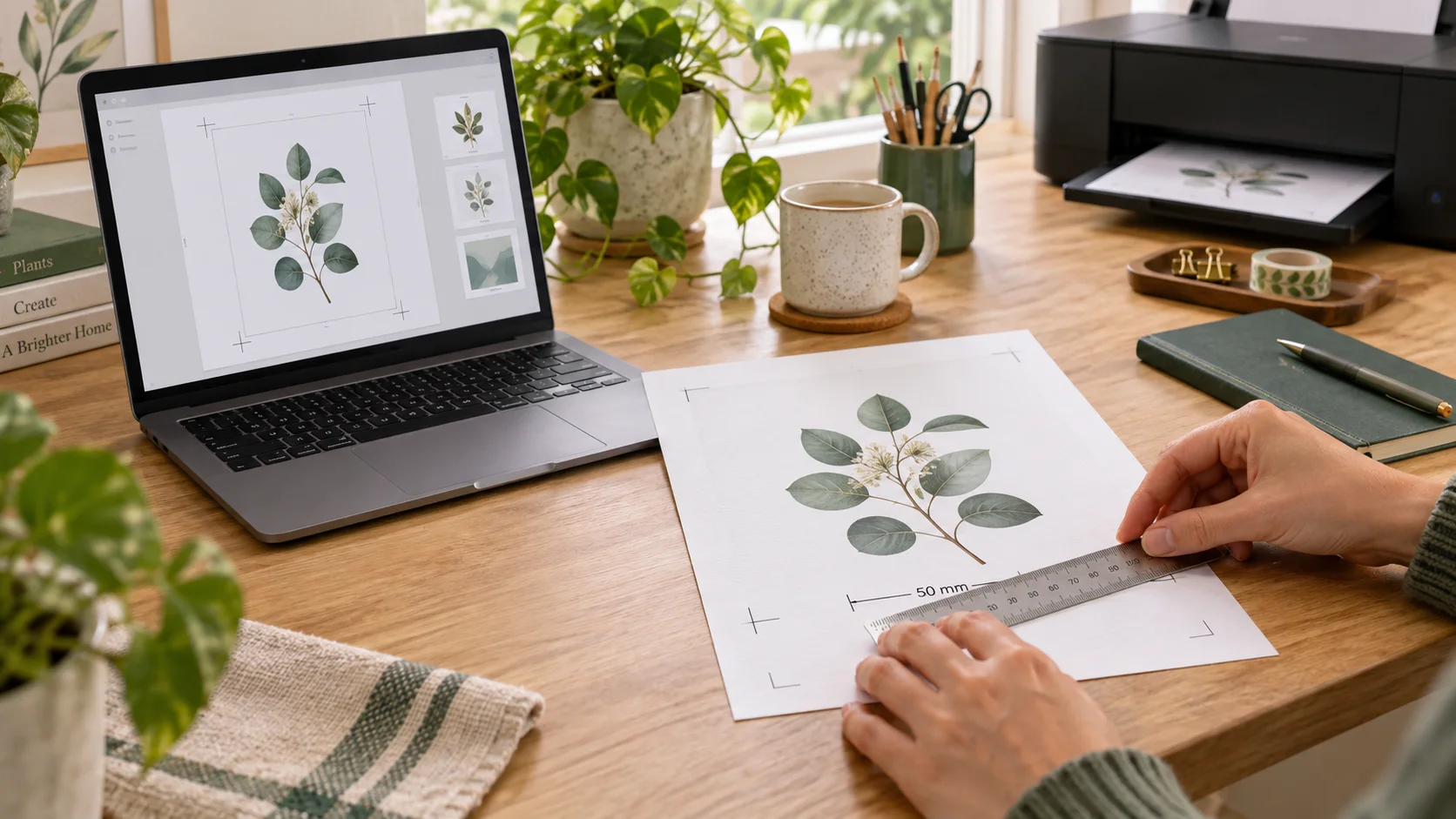
The PDF page has a fixed physical size and can include a 50 mm line. Print one test sheet at 100%, measure the line with a ruler, and correct printer settings before using labels, templates, or craft parts.
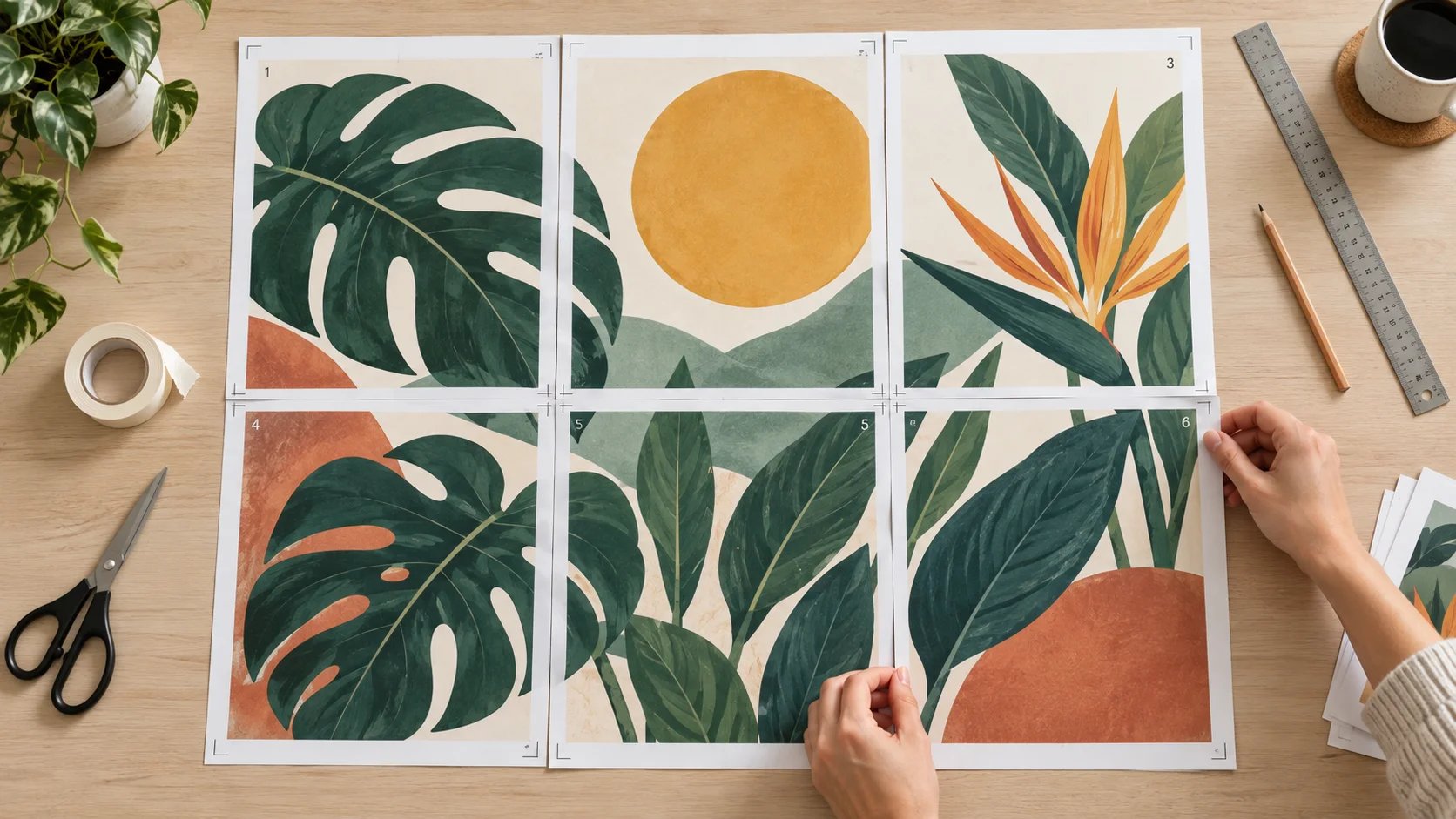
Poster mode maps every sheet to a specific image region. Overlap repeats a narrow strip on neighboring pages, while crop marks and row-column numbers make trimming and assembly predictable.
Use the measured PDF as the source of truth, then prevent the print dialog and printer driver from resizing it.
Upload the image and enter the width or height you want on paper. Keep proportions on unless deliberate stretching is required; pixels and DPI do not need to be calculated first.
Use Single image for one placement, Multiple per page for copies or mixed files, and Multi-page poster when the finished artwork exceeds the printable area.
Download the fixed-size PDF. In the print dialog select Actual size, 100%, or No scaling; disable Fit to Page, Shrink, Fill, and borderless expansion. Print one sheet and measure the calibration line.
Answers based on the wording and problems people use when searching for exact-size, copy-sheet, and tiled printing.
Choose cm, enter the finished width or height, keep proportions if needed, and export the PDF. In the print dialog choose Actual size or 100% and turn off Fit to Page. The PDF maps centimeters to physical page points, so you do not need to convert the image to pixels first.
Fit, Shrink, Scale to printable area, and some borderless modes resize the whole page. Use the same paper size as the PDF, select Actual size/100%, and measure the 50 mm calibration line. Hardware margins can clip content, but they should not change its scale.
Yes. Select the paper preset and orientation that matches the printer tray. If the finished image fits inside the margin, use Single image; if it is larger, switch to Multi-page poster so it is tiled without shrinking.
Add one image and increase Copies, or upload several images and enable the uniform-size switch. Set the width, height, and gap, then the tool centers a regular grid and creates more PDF pages when the first sheet is full.
Use Multi-page poster, enter the final assembled width or height, choose paper and margins, then add overlap, crop marks, page numbers, and the overview. Print all PDF sheets at 100%, trim the marked edges, align the repeated overlap, and join the pages.
About 5–10 mm is practical for most home printing because it leaves a repeated strip for alignment and tape. A larger overlap uses more paper. Keep it smaller than the printable width and height.
No. A DPI metadata change alone does not control paper size or stop a print dialog from scaling. This tool places the image into a PDF with measured page geometry, while effective DPI is only a quality estimate based on source pixels and finished dimensions.
It can have the correct width and height but look soft or pixelated. The effective-resolution readout estimates detail at the selected size: around 300 DPI is strong for close viewing, 150 DPI is often usable, and lower values deserve a test print.
No. It can print image actual size only from the length you enter. It cannot know the real-world size of a photographed object without a known scale reference, and it does not infer measurements from camera perspective.
No. Image decoding, layout preview, tiling, and PDF generation happen locally in your browser. The wider site can still use normal analytics or advertising, but your selected image files are not sent for this print operation.
Set the physical dimensions once, preview every sheet, and keep single images, copy sheets, and tiled posters in one workflow.
Always print at Actual size or 100% and measure the calibration line before relying on the final dimensions.
This tool lays images onto measured paper; Combine Images creates a new raster image file.